
How to Make a Charme Dance AI Video (Even If You Never Dance)
How to make a charme dance AI video: add 1 photo and tap Create. Your person leads the 15-second Pedra do Sal clip with its audio. 720p $9.90, no account.
 Charme Dance AI Team17 min read
The Charme Dance AI team: we watch every charme clip we write about, date every view count we quote, and show the trend with videos made on our own generator.

TL;DR — To make a charme dance AI video, add 1 photo of your lead to Charme Dance AI Videos for TikTok and Reels in your browser and tap Create. Whoever is in the photo takes the lead spot in the first 15 seconds of the viral Pedra do Sal clip. Every move lands on the beat, with the same crowd and the clip's own audio.
You don't dance, find a CapCut template or write a prompt, and one 720p video costs $9.90 in one payment, with no account.
The Seu Zé clip had 106,900 plays on TikTok by October 20, 2026. A viewer under the clip asks "como fazer esse vídeo" (Portuguese for "how do you make this video"). Another commenter asks for a video made from their own photo.
The tutorials that answer point you to a CapCut template, a ready-made edit inside the CapCut app that you drop one photo into. But 27 of 135 comments under six of those tutorials say it didn't work, the button never showed up or it asked them to pay.
We've built the first 15 seconds of the Pedra do Sal clip and the clip's own audio into our charme dance AI maker. So you bring one photo of whoever should take the lead. Nobody in the photo has to know how to dance: the moves are the clip's own, so every step lands on the beat.
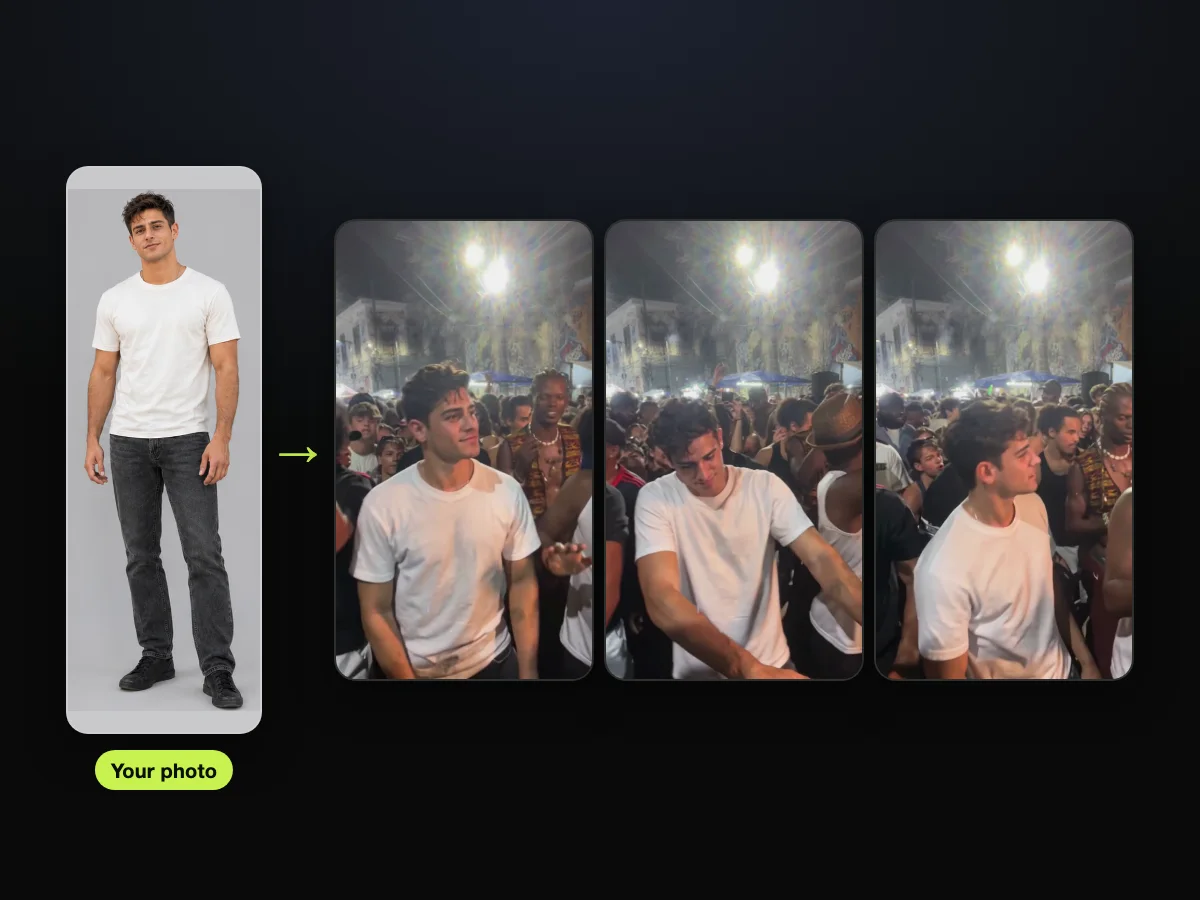
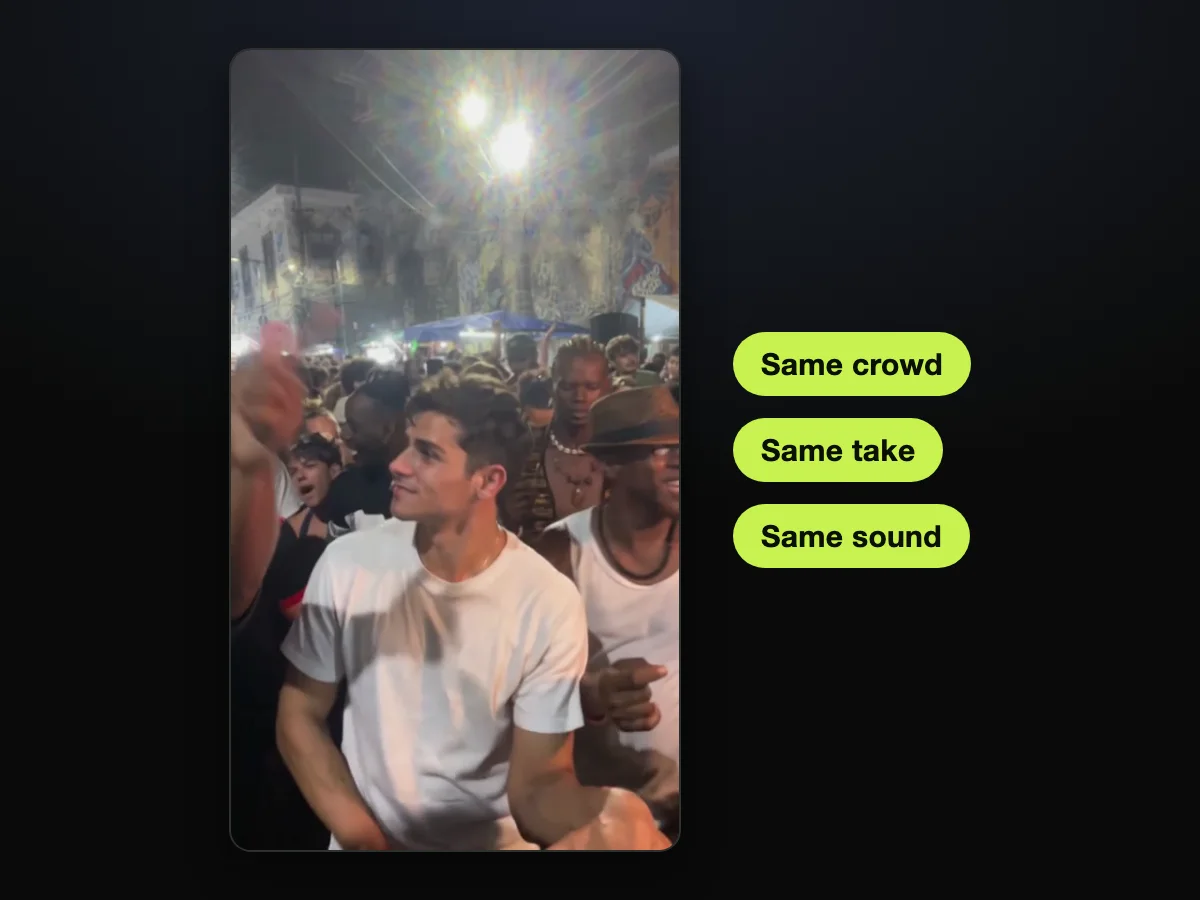
Our own sample shows how this works. We started from one full-body photo: an AI-made man in a cream T-shirt and dark jeans.
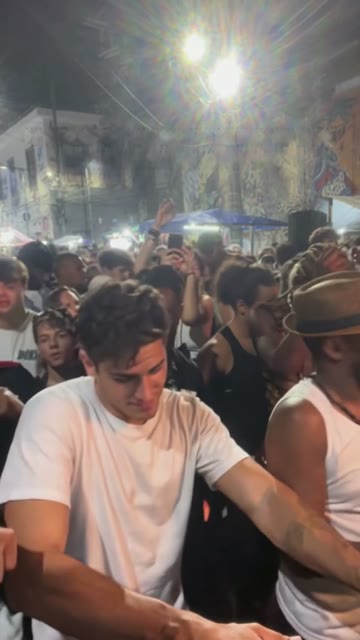
He leads the Pedra do Sal crowd for all 15 seconds, in his own clothes. And the guy in the brown hat and white tank top joins in at his side.
By the end of this guide, you'll know:
- Who to cast: you, your grandma, the friend who never dances, or a character.
- The three taps: upload, choose, Create.
- The photo that carries through: what to pick so the face and the outfit come along.
- The post: how to caption it and who to tag on TikTok and Reels.
Making a Charme Dance AI Video Takes One Photo
Making a charme dance AI video takes one photo and a web browser. That's because our charme dance AI maker already holds the first 15 seconds of the Pedra do Sal clip and the clip's own audio. You don't have to hunt down the original video or sync any sound yourself.
Here's how the setup breaks down:
- Your part: one photo of whoever should take the lead.
- Already in the maker: the first 15 seconds of the clip and the clip's own audio, the party's music and its crowd.
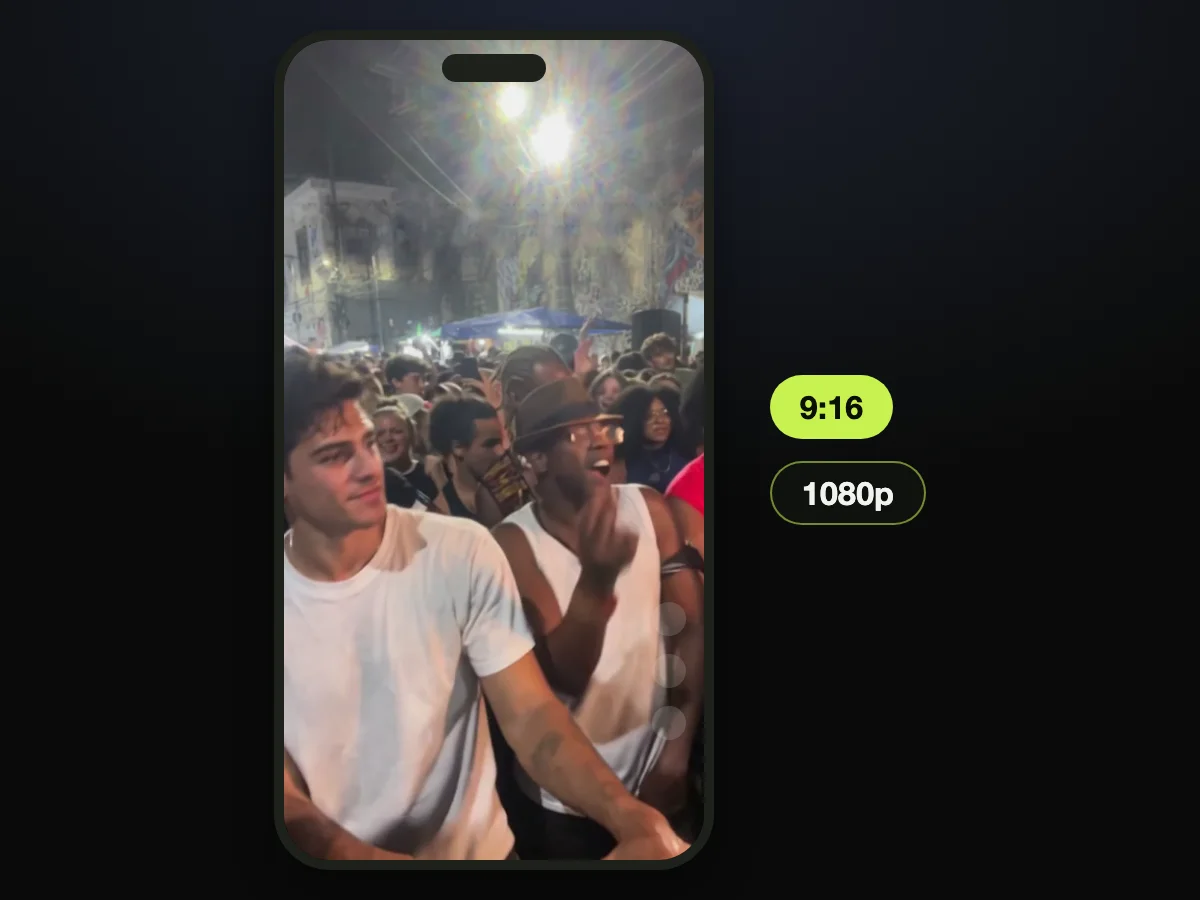
- What comes out: a 15-second, 9:16 MP4 for TikTok and Reels, in 480p, 720p or 1080p, and there's no watermark on exported videos.
Only the lead changes. Everything else stays exactly as it is in the clip:
- The people: the crowd, the guy in the brown hat and white tank top, and a man in a shell necklace with long braids.
- The place: the row of blue tents, the bright white floodlights and the old colonial houses with painted murals.
- The take: the night light, the camera's path and the timing.
You don't write a prompt, copy a template link, install an app or edit anything. Open Charme Dance AI on your phone, and you'll find the maker just below the page title and its short intro.

Choose Who Takes the Lead in Your Charme Dance AI Video
The lead in your charme dance AI video can be anyone you've got a photo of. That's you, a grandparent or parent, or a friend, each 18 or older, or a cartoon character, a game character or an AI-made one. You're simply picking who steps into the center of the Rio street party.
Here are the people you can put in front:
- You: a selfie or a head-to-toe photo puts you front and center in the Pedra do Sal crowd, in a 15-second video ready to post on TikTok or Reels.
- Your grandma, grandpa, mom or dad: a photo of them (18 or older) wearing what they wear every day gives you the clip's own joke starring them. It's for the family chat or your TikTok.
- The caption's joke: the original caption reads "Ninguém botou fé no vovô no baile charme", which is Portuguese for "nobody had faith in grandpa at the baile charme". And the grandpa nobody believed in ends up owning the whole night.
- The friend glued to the wall: a photo of a friend who's 18 or older and only dances charme once it's past midnight, or never leaves the wall. That photo gives you a 15-second clip to drop in the group chat, with them in the lead spot.
- A character: an image of a cartoon or game character, or an AI-made character image such as a character sheet with a face close-up and full-body views. That image gives you a new 15-second post with the clip's own audio.
None of them has to dance. The moves are the clip's own, so every step lands on the beat. And the one nobody believed in ends up owning the floor.
You'll find our background breakdown in the charme dance AI trend explained if you'd like to see how the meme took off.
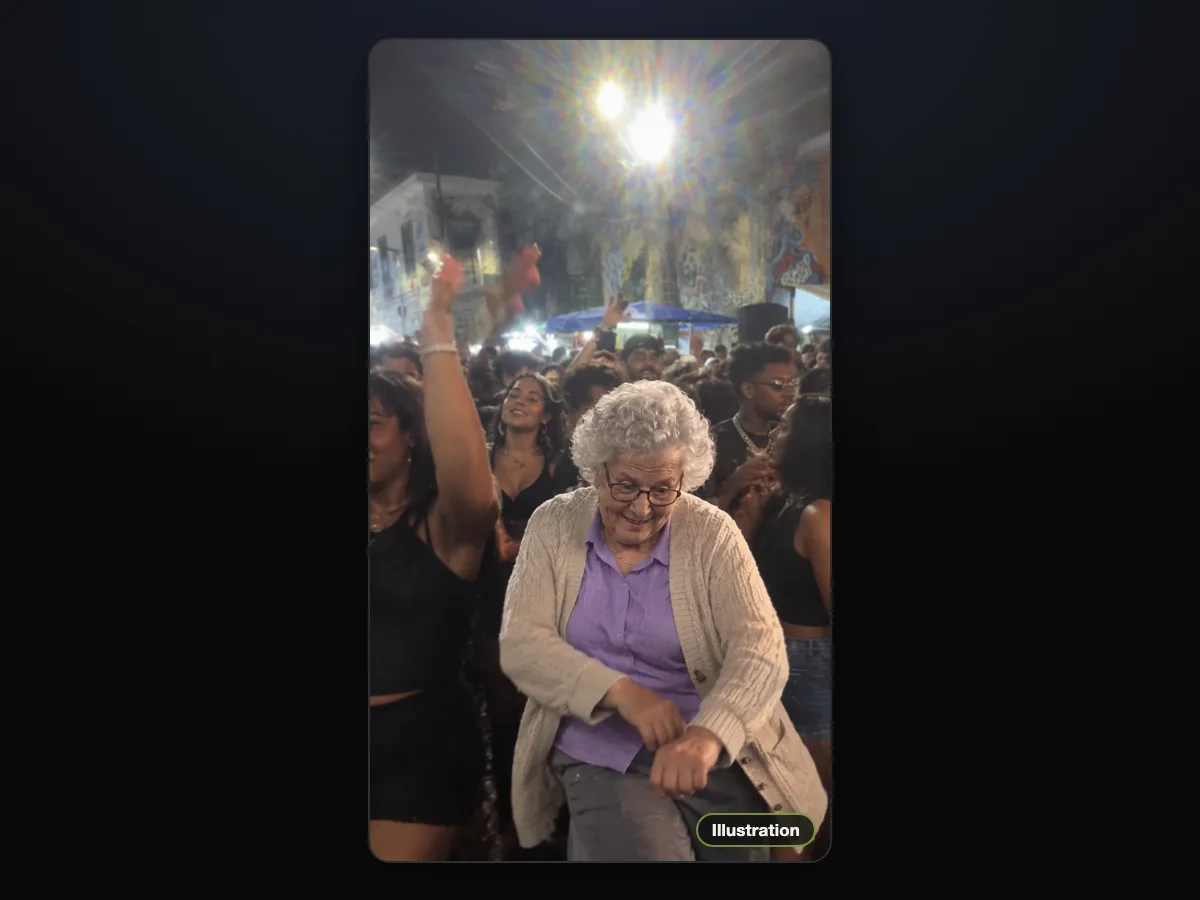
Illustration: Grandma takes the lead spot in her everyday cardigan.
Charme Dance AI Steps: Upload, Choose, Create
The charme dance AI steps are three taps on one page: upload the photo, choose 480p, 720p or 1080p, and tap Create. Everything's on that single screen.
If you're ready now, add one photo, pick 720p and tap Create on our charme dance AI maker.
Step 1: Upload the Lead Dancer's Photo
Open Charme Dance AI in your browser. Tap "Upload photo" and pick one photo of whoever should take the lead.
Under the photo box, our page shares one line of photo advice: "One person or one character per photo, face clear, facing the camera, in good light. Full body works best."
The tick box reads: "I have the right to use this photo, and any person in it is 18 or older." It's already ticked when the page opens, so leave it that way.

Step 2: Set the Resolution
The switch at the top of the maker offers "480p", "720p" and "1080p", next to "15s · 9:16" (15 seconds, in the tall 9:16 frame). And 480p is already chosen when the page loads.
Tap the one you want. The Create button shows the price for your choice before you've paid anything.

Step 3: Tap Create
Tap the Create button; the line next to it reads "No account needed: pay once and your video starts right here."
A window opens with one credit pack for your video (at 720p: 500 credits, valid 365 days, $9.90, one-time) and a "Buy 500 credits · $9.90" button. It tells you "Your render is saved — it resumes right after checkout."

You don't need an account: you'll pay once at checkout, and the video begins on the same page after that. The receipt email, sent to the address you pay with, carries a link that opens your videos on any device.
You'll save a 15-second 9:16 MP4 with the clip's own audio, and there's no watermark on exported videos.
Pick a Photo That Carries Through All 15 Seconds
The photo you pick carries through all 15 seconds of your charme dance AI video, because the face, hair, build and every piece of the outfit come from it. That's why the shot you choose is the look your person keeps for every beat.
Here's what works best:
- One person or one character: use a photo that shows a single person or character.
- A clear face: pick a shot where the face is turned toward the camera.
- Good light: choose a photo taken in good light.
- Head to toe: use a full-body photo, and every piece of the outfit comes along for all 15 seconds.
- 18 or older: check that any real person in the photo is 18 or older and that you've got the right to use it.
Our sample's photo is a head-to-toe shot of him in a cream T-shirt and dark jeans. That cream T-shirt stays on him in every frame, with the same face and hair from the first look to the last turn.
Get the Van Damme Look With a Denim Shirt
For the Van Damme look, dress the part in a denim shirt, or any clothes straight out of an 80s action movie, and snap a photo.
On TikTok, the earliest AI remakes, from October 13, 2026 showed 80s action-movie heroes dancing in a floodlit Rio square, Van Damme among them in a denim shirt. The hashtag #vandammebailando counted 2,054 videos and 9.1 million views as of October 20, 2026. That's how far that specific look spread.
The outfit comes from your photo, so on the charme dance AI maker you'll dance every step of the Pedra do Sal clip in that look.
What Your Charme Dance AI Video Shows, Beat by Beat
Your charme dance AI video shows the first 15 seconds of the Pedra do Sal clip. The person from your photo is in the lead spot from the first look to the last turn. Every moment follows the timing of the original clip.
The account @seuzerj posted the clip on TikTok on October 16, 2026. The full clip runs 27 seconds. Seu Zé de Madureira, the grandpa in it, is a character made with AI.
The video is set at Pedra do Sal, a historic samba landmark in Rio de Janeiro. Charme is the dance here, a street dance born in Brazil in the early 1980s, known for smooth side steps, bouncing shoulders and loose, relaxed hands.
Here's the routine your person dances:
- Look back (about 0.5 seconds): a quick look back at the phone.
- Groove (about 2.5 seconds): little side steps left and right, shoulders bouncing.
- The guy in the brown hat (about 4 seconds): the guy in the brown hat and white tank top joins in beside the lead.
- Lean in (about 6.5 to 9 seconds): the signature charme move, a lean in with the hands gliding past each other at waist height.
- Turn (about 10 to 11 seconds): a half turn to face the crowd.
- Back to the camera (12 to 15 seconds): back around to the camera while hands go up in the crowd.
The clip's own audio, the party's music and its crowd, plays from the first second. The whole clip is one unbroken take that looks like a phone held by hand.
Posting Your Charme Dance AI Video on TikTok and Reels
Posting your charme dance AI video on TikTok and Reels needs no editing, because it's already a 15-second 9:16 MP4 with the clip's own audio. You can upload the saved file straight to your profile.
There's nothing written on the video, so you'll add your own caption in TikTok or Reels as you post. Tag the friend who only dances charme once it's past midnight, the same thing the original post asks.
Many posts in the charme dance AI trend lay "Ice Ice Baby" by Vanilla Ice over the video from TikTok's sound library. But your video already carries the clip's own audio from the first second, giving you the natural street vibe immediately.
There's no watermark on exported videos, so your finished clip looks clean on any platform feed.
Charme Dance AI vs a CapCut Template or a Motion Tool
Charme Dance AI, a CapCut template and a motion-transfer tool are the three ways people make this video, and each asks for something different before you start. Understanding those differences saves you from hunting through menus.
A CapCut template is a ready-made edit inside the CapCut app that you drop one photo into. Esme70275 made the template the tutorials point to, "Ty", on October 18, 2026. It counted 271,560 uses by the evening of October 20, 2026.
A motion-transfer tool is an app that copies the moves from a dance video you upload onto the person in your photo. That means you've got to find and supply both files yourself.
| Charme Dance AI | A CapCut template ("Ty") | A motion-transfer tool | What it means for you | |
|---|---|---|---|---|
| What you bring | 1 photo | 1 photo, inside the CapCut app | 1 photo plus a dance video you find yourself | With the clip built in, the photo is the only thing you look for |
| Where you make it | Your browser on any phone, tablet or computer | The CapCut app; signed out, "Use this template" opens a "Sign in to start creating" box | The tool's own site, where you upload both files | No app to install and no account to make first |
| The video you get | The first 15 seconds of the Pedra do Sal clip, your person in the lead spot, with the clip's own audio | The template's own 16.4-second edit; its demo shows the square at night in rain and lightning | Your photo doing the moves from the dance video you uploaded | Only the lead changes, so the crowd and the guy in the brown hat come with it |
We read the CapCut template page on October 20, 2026, and our own page on October 21, 2026.
Here's what people wrote under six CapCut tutorials for the trend, read on October 20, 2026:
- Not working (17 comments): viewers said the template didn't work or the button never showed up. One wrote "já tentei duas vezes e nada" (Portuguese for "I've tried twice and nothing") under a Portuguese tutorial.
- Fake or a scam (15): commenters called the tutorials fake or a scam, with replies like "golpe" (Portuguese for "scam") under the same Portuguese tutorial.
- Asked to pay (10): users said it costs money, writing "tem que pagar" (Portuguese for "you have to pay").
- Apps and steps (8): people complained about the apps and the steps. Under a Spanish tutorial with 751,200 plays, the top comment has 17 likes: "Y todo mundo descargando apps para nada" (Spanish for "and everyone downloading apps for nothing").
On our baile charme AI maker, the clip, its crowd and its own audio are already in place, and you'll see the price on the Create button.
If you hit snags with mobile apps, see our guide on fixes for the charme dance CapCut template. You can also read how other services compare in our roundup of charme dance AI generators compared.
Before You Make a Charme Dance AI Video: Quick Answers
Can I make a charme dance AI video on my phone?
Yes: our charme dance AI maker runs in the web browser on any phone, tablet or computer, with nothing to download or install. You don't have to visit an app store or install anything on your device.
Do I have to dance or film anything myself?
No: our charme dance AI maker is the AI that makes you dance. That's because the moves, the crowd, the camera's path and the clip's own audio are already built in. Your one photo is the whole job.
You simply add the photo, and our maker puts that person in the lead spot.
How do people make those AI dancing videos?
People make those AI dancing videos three ways:
- A one-photo maker: one with the clip built in, like ours.
- A CapCut template: a ready-made edit inside the CapCut app.
- A motion-transfer tool: it copies the moves from a dance video they upload.
If you'd rather write the edit yourself, our charme dance AI prompt guide has the full prompt.
Does a charme dance AI video cost money?
Yes: a 15-second 720p video costs $9.90, in one payment, with no subscription and no account.
The $9.90 pack holds 500 credits, a 720p video uses 500 and a 480p video uses 375, so the same pack covers either one.
A 1080p video uses 1,480 credits, about $24.60 of the $39.90 pack of 2,400 credits, with the remaining credits kept in your balance.
Credits stay valid for 12 months and nothing renews. You can view every credit pack on our pricing page.
What happens to my credits if a video fails?
If a video fails, its credits go back to your balance automatically. Tapping Create holds the video's credits, and they're spent only when the video is ready. A video that fails or times out returns them.
How do I find my video again on another device?
To find your video on another device, open the link in the receipt email sent to the address you paid with.
No facial recognition runs on the photos you upload, and no biometric identifiers are collected. Charme Dance AI never sells personal information.
Your photo and your videos stay in your account until you ask for them to be deleted.
What file do I get for TikTok and Reels?
You'll get a 15-second MP4 in 9:16, the same frame as the Pedra do Sal clip, with the clip's own audio, in 480p, 720p or 1080p. There's no watermark on exported videos, and nothing's written on the video.
Ready for the Lead Spot? Start Your Charme Dance AI Video
You bring 1 photo to Charme Dance AI in your browser and tap Create. Your person takes the lead spot in the first 15 seconds of the Pedra do Sal clip, dancing with the same crowd to the clip's own audio.
Every step lands on the beat. It's $9.90 at 720p, with no account needed. Tap through to make a charme dance AI video and put your person in front of the Rio party.
Written by the Charme Dance AI Team. We checked each price and each button name in this guide against our live page on October 21, 2026. Our sample's dancer is a fictional adult made with AI.
Related Articles
- What Is the Charme Dance AI Trend? The Grandpa Joke, Explained — the grandpa nobody believed in, the Rio square, and how the remakes spread in a week.
- Charme Dance CapCut Template Not Working? 6 Fixes to Try — what to do when the template button never shows up or asks you to pay.
- Charme Dance AI Generators Compared: 10 Tools Checked (2026) — which tools keep the viral clip and which build a new party around you.
- Charme Dance AI Prompt Guide: Copy It, Then Read It Line by Line — the full edit prompt, for anyone who'd rather write it themselves.


